Shajons Facility Management
Home / Services / IT Outsourcing / Restaurant POS – Tablyvio

Restaurant POS – Tablyvio

From the first coffee to the final Z report. A restaurant POS for ordering, kitchen, tables, stock, customers and reports, online or offline, set up and supported by Shajons.
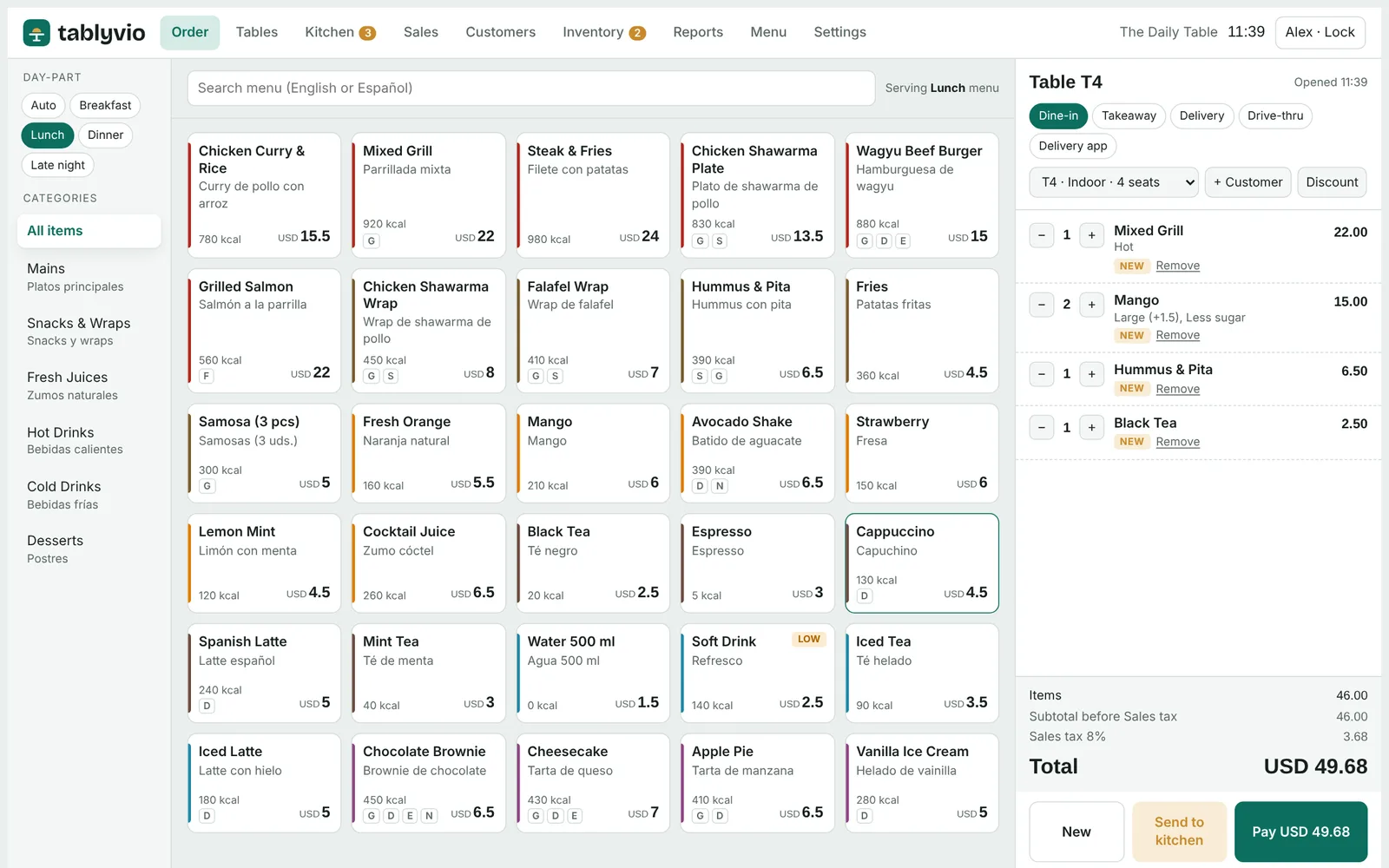
Tablyvio order screen
At a glance

One system for the whole restaurant.

Tablyvio runs the front counter, the floor, the kitchen, the stock room and the back office on a single system.

195 countriesCurrency, tax and receipt format set for where you trade.
68 languagesReceipts in English plus a second language of your choice.
Online or offlineBrowser version plus an installable version that keeps trading without internet.
7-day supportHelp by WhatsApp, phone and email.
Why restaurants choose it

Built around the way a restaurant actually runs.

Six everyday jobs, done well, on one system.

Fast orderingDine-in, takeaway, delivery and drive-thru from one screen, with options such as size, sugar, ice and milk.
Kitchen displayTickets route by station, from the hot kitchen and grill to the juice bar, coffee and desserts, with timers that change colour as food waits.
Tax set up for your countryCurrency, tax rate and receipt format are configured for your country, including tax-inclusive or added pricing, tax numbers on receipts and credit notes for refunds.
Stock that counts itselfSales deduct ingredients through recipes, with low-stock alerts and suggested orders.
Regulars who come backCustomer profiles by mobile number, loyalty points and tiers, allergy notes and birthday reminders.
Close the day in a minuteSales by hour, item, category, channel and payment, plus X and Z reports with tax totals.
Modules

Everything a restaurant runs on.

From the front counter and floor to the kitchen, stock room and back office.

Fast Ordering

One screen for every way a guest orders.

  • Dine-in, takeaway, delivery and drive-thru
  • Size, sugar, ice, milk and other options
  • Open checks per table
  • Split bills, discounts and payments

Kitchen Display

The kitchen sees every order, on time.

  • Tickets routed by station
  • Hot kitchen, grill, juice bar, coffee and desserts
  • Timers that change colour as food waits
  • Fewer errors between floor and kitchen

Tables & Floor

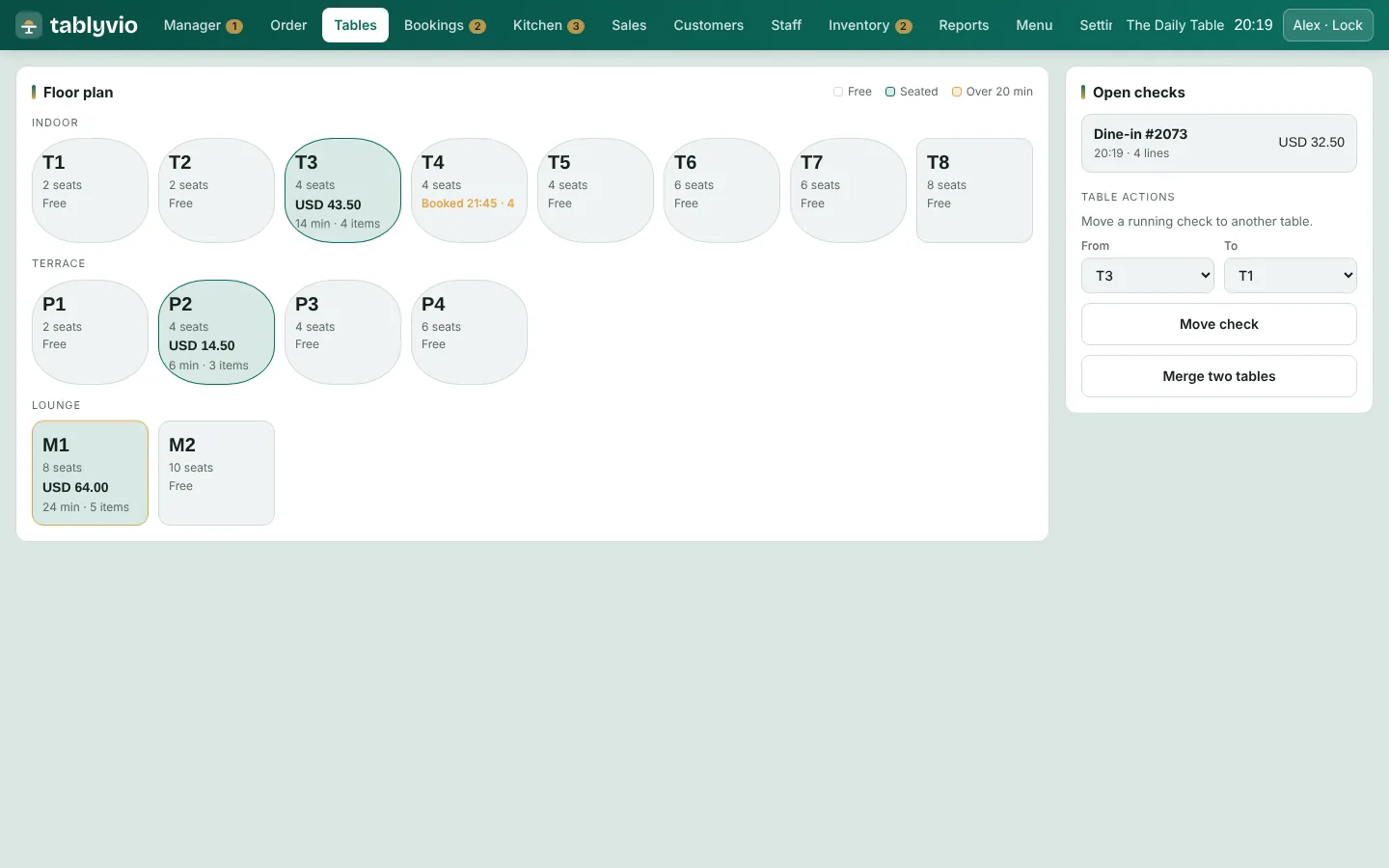
See the whole floor at a glance.

  • Free, seated, ordered and awaiting-bill status
  • Live floor view for managers
  • Open checks linked to tables
  • Quick table changes

Menu Editor & Day-parts

A menu that is easy to keep current.

  • Prices, options, calories and allergens
  • Second-language item names
  • Instant on/off switches for items
  • Breakfast, lunch, dinner and late-night menus that switch automatically

Stock & Purchasing

Know what is in stock and what it costs.

  • Recipes that deduct ingredients on every sale
  • Stock levels and low-stock alerts
  • Suppliers and purchase orders
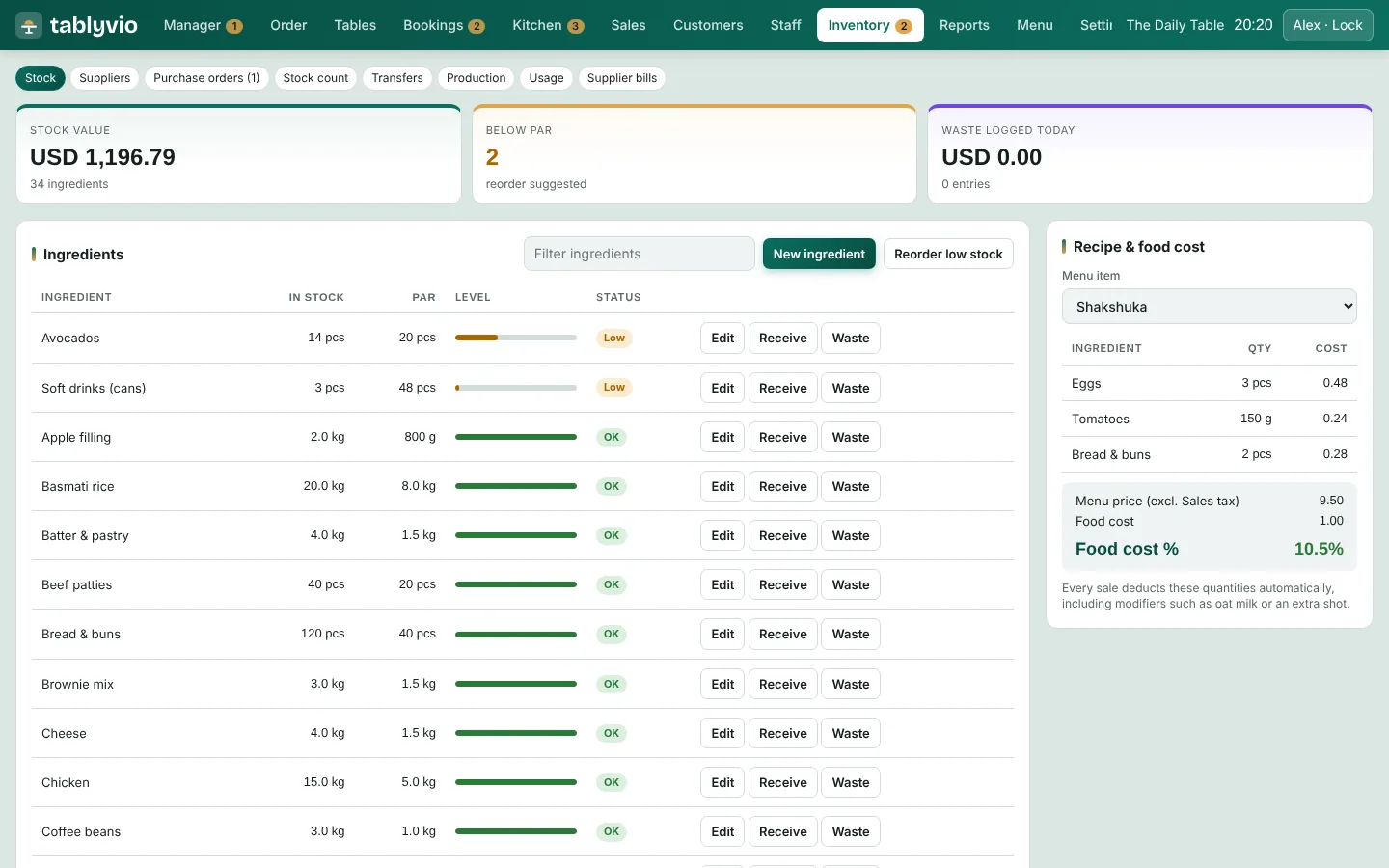
  • Recipe food-cost view

Customers & CRM

Turn first-time guests into regulars.

  • Profiles keyed by mobile number
  • Loyalty points and tiers
  • VIP, regular and at-risk segments
  • Allergy notes, birthday reminders and one-tap messaging

Reports & Manager Hub

The numbers, without the spreadsheet.

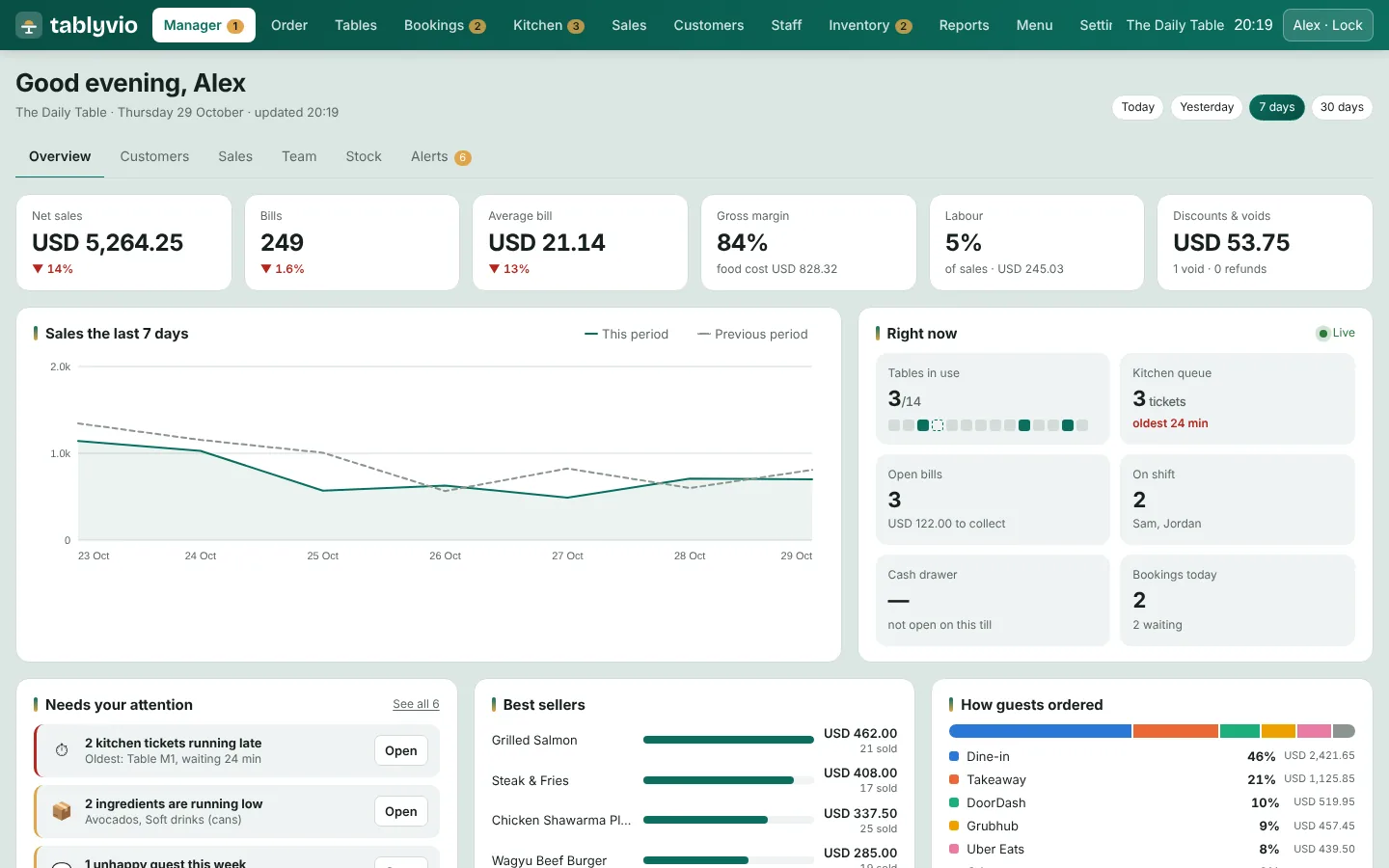
  • Daily sales and trends against last week
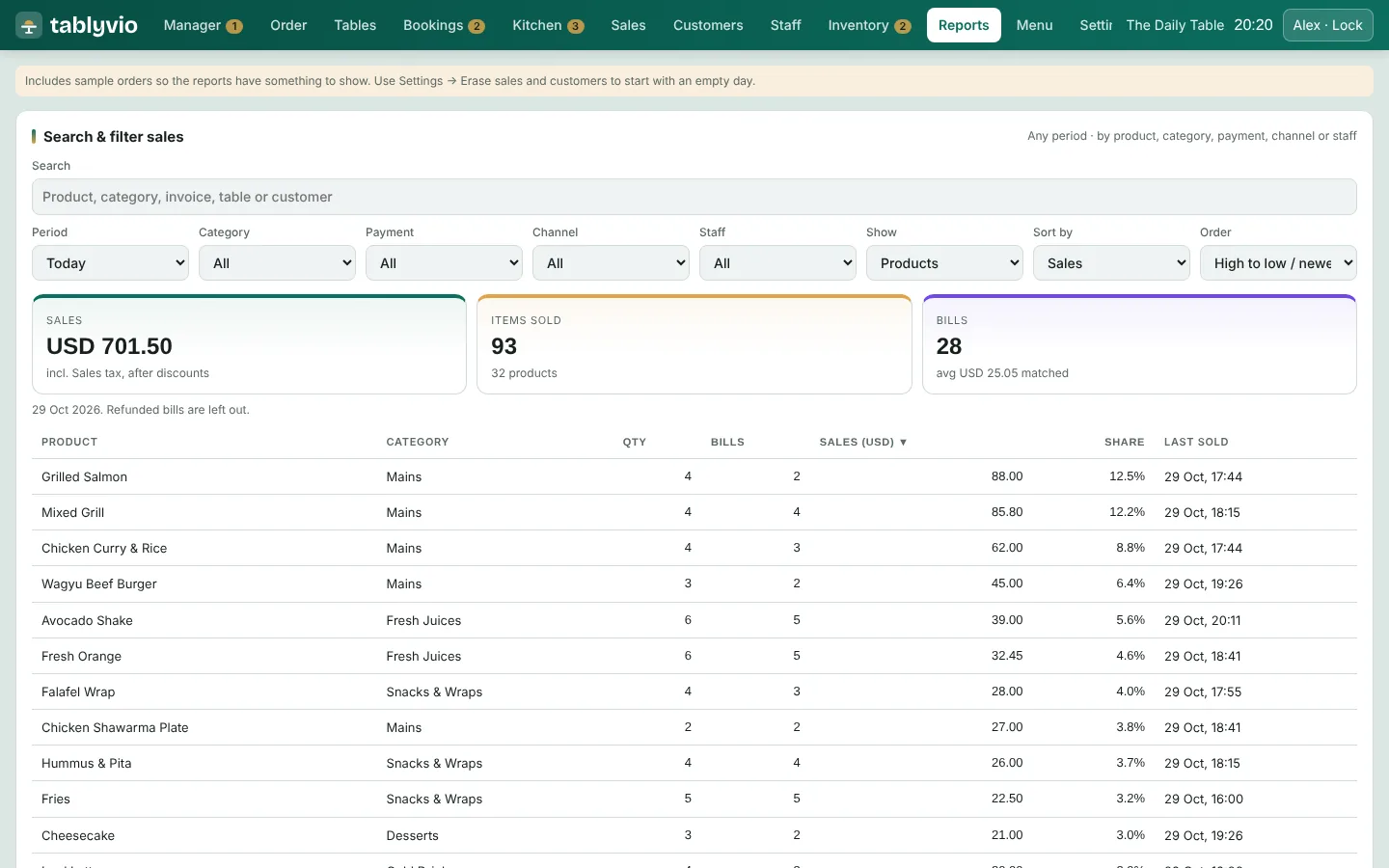
  • Reports by hour, item, category, channel and payment
  • X and Z reports with tax totals
  • Alerts and exportable reports

Tax, Receipts & Payments

Set up for the country you operate in.

  • Currency, tax rate and receipt format by country
  • Tax-inclusive or added pricing, tax numbers and credit notes
  • English receipts plus one of 68 languages
  • Card terminals, payment links and UPI QR codes where supported

Cloud, Offline & Delivery Apps

Always trading, always in sync.

  • Shared menus, customers and reports across tills, kitchens and branches
  • Daily cloud backup
  • Offline mode keeps orders, payments and receipts going
  • Delivery-app orders routed to the kitchen, with commissions tracked
Screens

Tablyvio at a glance.

A look at the screens your team will use every day.
Tablyvio order screen screen
Order screenA lunch menu with an open check for a table
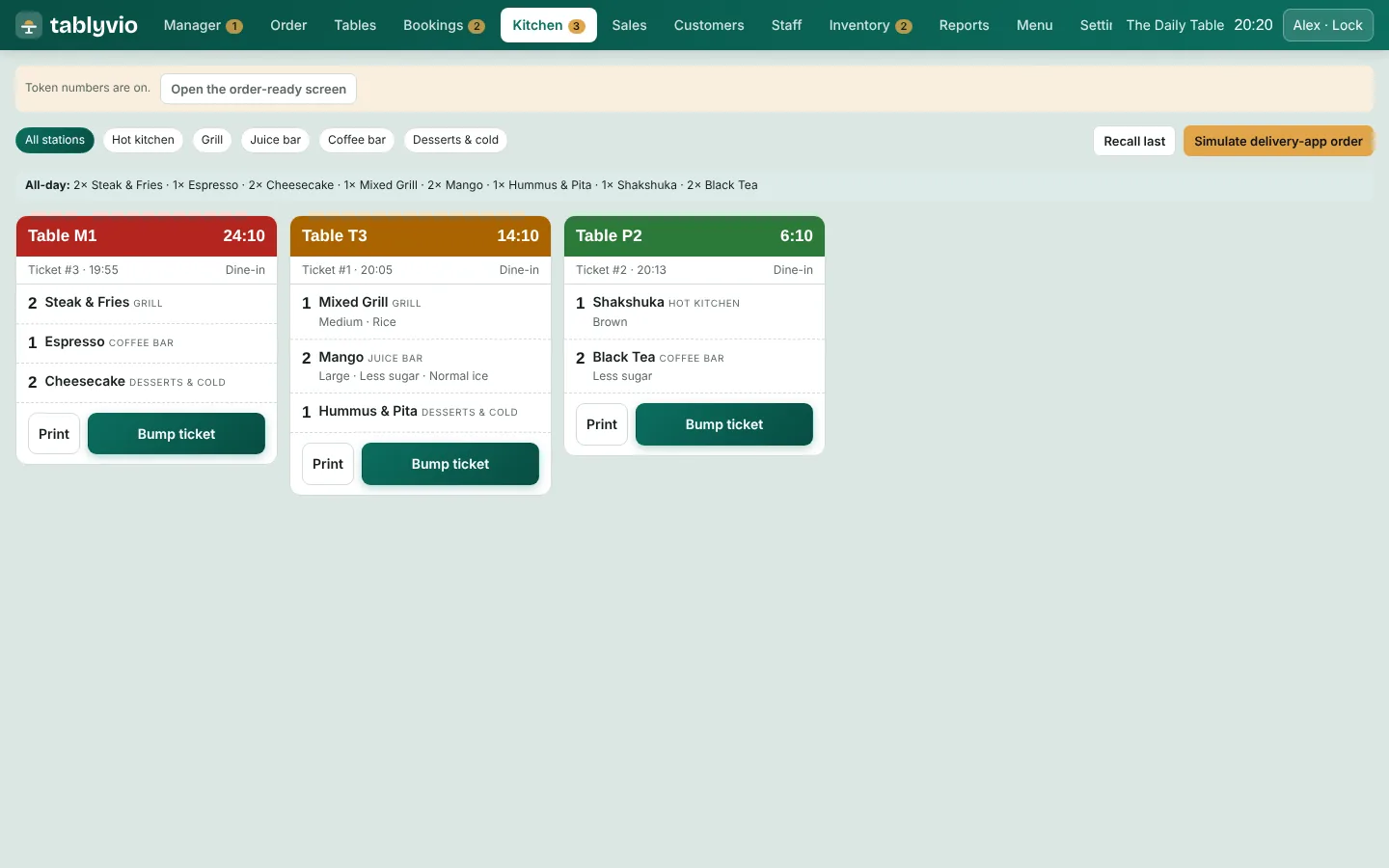
Tablyvio kitchen display screen
Kitchen displayTickets coloured by how long they have waited
Tablyvio tables screen
TablesFloor view showing the status of every table
Tablyvio manager hub screen
Manager hubDaily sales, trends and live floor status
Tablyvio reports screen
ReportsSales by hour and category at a glance
Tablyvio stock and purchasing screen
Stock and purchasingStock levels with recipe food cost
Who it is for

Made for every kind of food business.

Cafés & coffee shopsFast counter service with options and loyalty
Juice bars & bakeriesQuick ordering and recipe-based stock
Quick serviceHigh-volume ordering, kitchen routing and delivery
Casual & fine diningTables, courses, split bills and floor control
Cloud kitchensDelivery-app orders routed straight to the pass
Dessert shopsDay-part menus and allergen information
Food courtsSeveral counters, one view of sales
Multi-outlet groupsCentral menus, customers and reports across branches
Devices

Runs on what you already own.

  • Windows, Mac, Android, iPhone and iPad
  • Chrome, Edge and Safari browsers
  • Installable desktop app for Windows and Mac
  • Works with existing tablets, laptops or touch screens
  • Any 80 mm thermal receipt printer
Payments & integrations

Connects to the way you get paid.

  • Card terminals: Stripe Terminal, Pine Labs, Razorpay POS
  • Payment links through your own Razorpay or Stripe account
  • UPI QR codes on bills (India)
  • Delivery apps for each country
  • Receipts in English plus one of 68 languages
Getting started

From first call to first order.

Shajons and the Tablyvio team take you through setup, step by step.

  1. Kick-off call

    Agree outlets, menus, hardware and tax settings.

  2. Menu setup

    Items, options, prices and recipes entered and checked.

  3. Staff training

    Virtual sessions for managers, cashiers and kitchen teams.

  4. Go live

    Launch day support, then ongoing help.

Questions

Tablyvio questions answered.

Does Tablyvio work without internet?

Yes. The installable version has an offline mode that keeps orders, payments and receipts going, and syncs when the connection returns.

Which countries is it set up for?

Tablyvio is configured for the country you trade in, covering currency, tax rate, tax-inclusive or added pricing, tax numbers on receipts and credit notes for refunds.

What devices and printers do I need?

Windows, Mac, Android, iPhone and iPad in Chrome, Edge or Safari, plus an installable app for Windows and Mac. Any 80 mm thermal receipt printer works.

How can customers pay?

Through card terminals such as Stripe Terminal, Pine Labs and Razorpay POS, payment links from your own Razorpay or Stripe account, and UPI QR codes in India.

What does Shajons do for a restaurant adopting Tablyvio?

We help with the kick-off call, menu setup, hardware advice, staff training and go-live support, as part of our IT Outsourcing service.

How do I find out about pricing?

Contact us with your outlets and requirements, or visit tablyvio.com, and we will take you through the options.

Bring Tablyvio to your restaurant.

Tell us about your outlets and we will arrange a walkthrough, menu setup and training.

WhatsApp us